
Laser Safety Devices Maintenance Guide
2026-08-17

How to Maintain Laser Safety Devices Properly
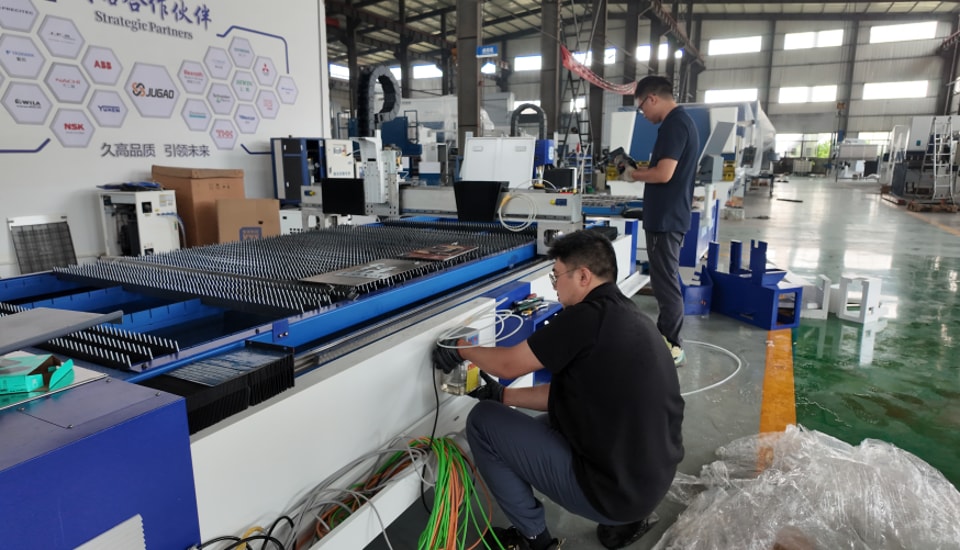
High-energy laser cutting equipment depends on a network of protective devices to keep operators and production areas safe. Door interlocks, light curtains, emergency-stop circuits, warning systems and monitoring sensors must react correctly whenever an unsafe condition occurs. If these devices become contaminated, worn, misaligned or electrically unstable, the result may be false alarms, unexpected shutdowns or, more seriously, reduced protection.
This JUGAO maintenance guide follows a practical inspection sequence for laser safety devices. It covers why preventive care matters, six essential maintenance steps, common failure modes and long-term maintenance practices. The objective is to maintain dependable protection while reducing avoidable interruptions to production.
Table of Contents
1. Why Laser Safety Devices Maintenance Matters
Protecting Operators from Laser Hazards
Preventing Unexpected Machine Shutdowns
Supporting Safety Compliance
2. Step-by-Step Laser Safety Devices Maintenance Guide
Step 1: Inspect Safety Interlock Systems
Step 2: Clean Light Curtains and Laser Sensors
Step 3: Test Emergency Stop Buttons
Step 4: Check Safety Wiring and Electrical Connections
Step 5: Verify Alarm and Warning Systems
Step 6: Calibrate Safety Monitoring Systems
3. Common Problems in Laser Safety Devices
4. Best Practices for Long-Term Maintenance
5. FAQs
6. Conclusion
Why Laser Safety Devices Maintenance Matters
Protecting Operators from Laser Hazards
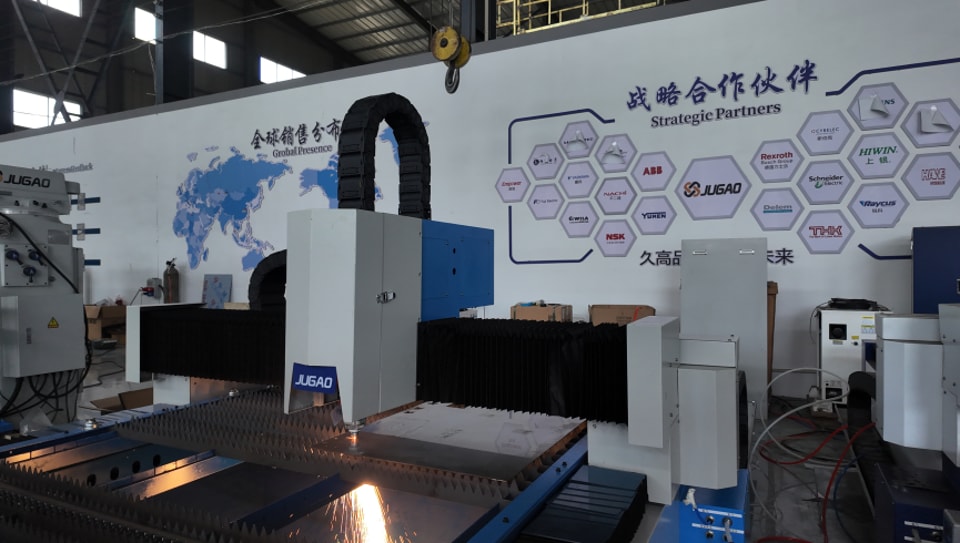
Laser cutting systems concentrate significant energy into a small working area. Protective devices are therefore not optional accessories; they are part of the machine's risk-control system. Routine functional checks help confirm that guards, light curtains, interlocks and emergency-stop devices respond as intended before an operator is exposed to an unsafe condition.
Preventing Unexpected Machine Shutdowns
A safety system can interrupt production even when no actual hazard is present. Contaminated sensors, loose connectors or worn door switches may create intermittent signals that trigger alarms or stop the machine. Scheduled maintenance makes it easier to find these small defects before they become recurring downtime.
Supporting Safety Compliance
Industrial laser equipment must be operated under applicable workplace safety requirements and the manufacturer's operating instructions. Documented inspections and functional tests help demonstrate that protective devices are being maintained systematically and remain available for their intended safety function.
Step-by-Step Laser Safety Devices Maintenance Guide
Step 1: Inspect Safety Interlock Systems
Start with the doors, access panels and enclosure switches. Check that each interlock is securely mounted and correctly aligned with its actuator. Under an approved test condition, open each protected door and verify that laser emission or hazardous machine motion is disabled immediately. Inspect wiring, connectors and switch housings for looseness, impact damage or wear. Any unreliable interlock should be repaired or replaced before the machine returns to production.
Step 2: Clean Light Curtains and Laser Sensors
Optical safety devices require an unobstructed sensing path. Cutting smoke, fine dust, oil mist and fingerprints can reduce signal strength or cause incorrect detection. After safely isolating the machine, wipe optical surfaces with a soft lint-free cloth and an approved cleaning solution. Avoid abrasive materials and excessive liquid. Once cleaning is complete, verify alignment and test the sensing field at several positions.
Step 3: Test Emergency Stop Buttons
Test every emergency-stop button individually. Pressing the device should place the machine in the specified safe state without delay, and the machine should not restart automatically after the button is reset. Check the mechanical latching action, button housing, mounting ring and identification label. If response is slow, inconsistent or physically damaged, remove the machine from normal operation until the device is corrected.
Step 4: Check Safety Wiring and Electrical Connections
Inspect cables, terminals, connectors and safety-control circuits for loose conductors, damaged insulation, corrosion, heat discoloration or strain. Electrical instability can create false alarms or interrupt communication between a protective device and the CNC or safety controller. Qualified technicians should repair damaged wiring using the correct schematic and specified connection methods.
Step 5: Verify Alarm and Warning Systems
Audible alarms, warning lamps and control-screen messages must be recognizable and correspond to the actual safety condition. Trigger the relevant test conditions and confirm that sounders, beacons and fault notifications operate correctly. Replace failed indicators and correct communication faults before production resumes.
Step 6: Calibrate Safety Monitoring Systems
Integrated monitoring systems used for enclosure protection, beam detection or protected-zone supervision must remain correctly aligned and calibrated. Follow the machine and sensor documentation to verify detection distance, response status and communication with the safety controller. Record calibration results so changes can be compared during future inspections.
Common Problems in Laser Safety Devices
Sensor Contamination
Dust and smoke can cover optical sensors and weaken detection. Regular cleaning and effective extraction help prevent nuisance alarms and unreliable sensing.
Interlock Failure
Repeated opening and closing of guards can wear switches, actuators and mounting hardware. Inspect the complete interlock assembly rather than only the switch body.
Electrical Signal Instability
Loose connectors, damaged cables or poor electrical contact may interrupt signals between safety devices and the controller. Intermittent faults should be traced systematically instead of repeatedly resetting alarms.
Best Practices for Long-Term Laser Safety Devices Maintenance
Establish Routine Inspection Schedules
Use daily, weekly and monthly checks appropriate to machine usage. Daily checks can cover visible damage and status indicators, while scheduled functional tests verify interlocks, emergency stops, alarms and sensor response.
Train Operators on Safety Procedures
Operators should understand the purpose of each protective device, recognize abnormal status indications and know when the machine must be stopped for inspection. Safety devices should never be bypassed to maintain production.
Keep the Machine Environment Clean
Good housekeeping reduces contamination on optical sensors and electrical components. Maintain effective fume extraction, remove cutting debris and prevent oil or moisture from reaching safety devices.
Frequently Asked Questions
How often should laser safety devices be inspected?
Basic visual checks should be performed frequently, typically as part of daily operator checks. More detailed functional testing can be scheduled weekly or according to machine usage, site procedures and JUGAO documentation.
What happens if laser safety sensors become dirty?
Contamination may weaken detection, create false alarms or reduce the reliability of a protected zone. Clean the sensor correctly, verify alignment and perform a functional test afterward.
Can damaged safety interlocks affect machine operation?
Yes. A faulty interlock may prevent startup, cause intermittent shutdowns or fail to provide the intended protective response. It should be repaired and tested before normal operation continues.
Can an operator bypass a faulty safety device temporarily?
No. A protective device should not be bypassed to continue production. The underlying fault should be diagnosed and corrected by qualified personnel.
Why should maintenance results be documented?
Records make recurring faults easier to identify and provide a history of inspections, repairs, calibration and component replacement.
Conclusion
Reliable laser safety devices protect personnel while supporting stable production. A consistent maintenance sequence - inspecting interlocks, cleaning sensors, testing emergency stops, checking wiring, verifying warnings and calibrating monitoring systems - helps reduce both operational risk and avoidable machine interruptions.
JUGAO recommends treating safety-device inspection as a documented preventive maintenance program. For model-specific test procedures, replacement parts or technical assistance, refer to the documentation supplied with the machine or contact the JUGAO technical service team.
Contact Us