
How to Decipher Press Brake CNC Alarm Codes
2026-04-10

Table of Contents
• What Are Press Brake CNC Alarm Codes?
• How to Read Press Brake CNC Alarm Codes on Delem or ESA Controllers
○ Step 1: Document the Exact Alarm Prompt and Code Number
○ Step 2: Access the CNC Alarm History Record
○ Step 3: Classify the Corresponding System Module
• Common Press Brake CNC Alarm Codes and Their Root Causes
○ Y-Axis Tracking Error Alarm
○ Low Hydraulic Pressure Alarm
○ Backgauge Positioning Deviation (X-Axis Alarm)
• A Step-by-Step Troubleshooting Protocol for Press Brake CNC Alarm Codes
○ Step 1: Halt Machine Operation in a Safe Manner
○ Step 2: Check for External and Simple Trigger Factors
○ Step 3: Examine All Electrical Connection Nodes
○ Step 4: Confirm the Stability of the Hydraulic System
○ Step 5: Conduct a Thorough Review of CNC Parameters
• Effective Measures to Prevent Frequent Press Brake CNC Alarm Codes
○ Implement Regular Preventive Maintenance
○ Maintain Cleanliness and Ventilation of Electrical Cabinets
○ Train Operators on Basic Alarm Logic Comprehension
• Frequently Asked Questions (FAQs)
○ What is the immediate action when Press Brake CNC Alarm Codes pop up?
○ Is it feasible to reset Press Brake CNC Alarm Codes without resolving the underlying issue?
○ Do Press Brake CNC Alarm Codes vary between Delem and ESA systems?
○ What strategies can reduce the frequency of CNC alarm occurrences?
• Conclusion
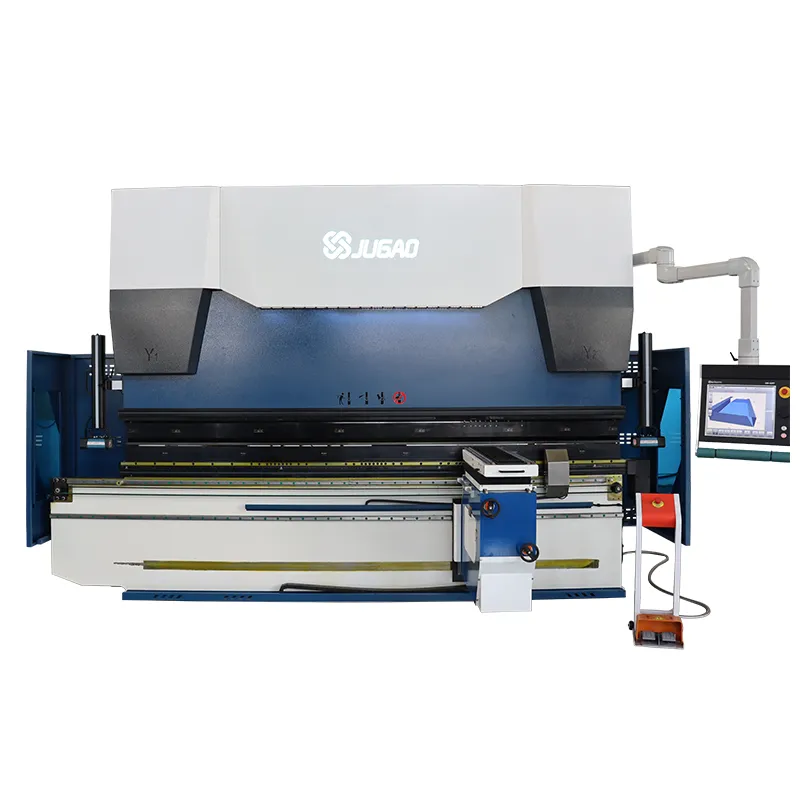
Press Brake CNC Alarm Codes often emerge out of the blue, bringing production lines to a sudden standstill and leaving operators at a loss for immediate action. I’ve seen countless avoidable production delays that stem solely from a lack of proper understanding of these alarm prompts. If you’re struggling to make sense of what these codes signify, this comprehensive guide will provide you with clear direction. It will walk you through the step-by-step process of deciphering the codes, identifying whether the fault lies in the electrical, hydraulic, or mechanical system, and responding to the issue safely and efficiently. Once you grasp the inherent logic of the CNC alarm system, troubleshooting becomes a more methodical task and far less stressful—turning what was once a JUGAO into a streamlined process.
What Are Press Brake CNC Alarm Codes?
Press Brake CNC Alarm Codes are automated error notifications generated and displayed by the machine’s controller, such as Delem, ESA, or Cybelec systems. Their core purpose is to safeguard the press brake itself, its tooling components, and the on-site operators from potential damage or harm.
Based on practical experience, these alarm codes can be categorized into three primary types:
• Electrical system alarms
• Hydraulic pressure alarms
• Axis or backgauge positioning alarms
Every code is not a random numeric value; it embodies a specific safety protection logic. Grasping this logic is the foundational step to effective troubleshooting.
How to Read Press Brake CNC Alarm Codes on Delem or ESA Controllers
While different CNC systems feature distinct alarm display formats, the fundamental process of interpreting these codes is largely consistent.
Step 1: Document the Exact Alarm Prompt and Code Number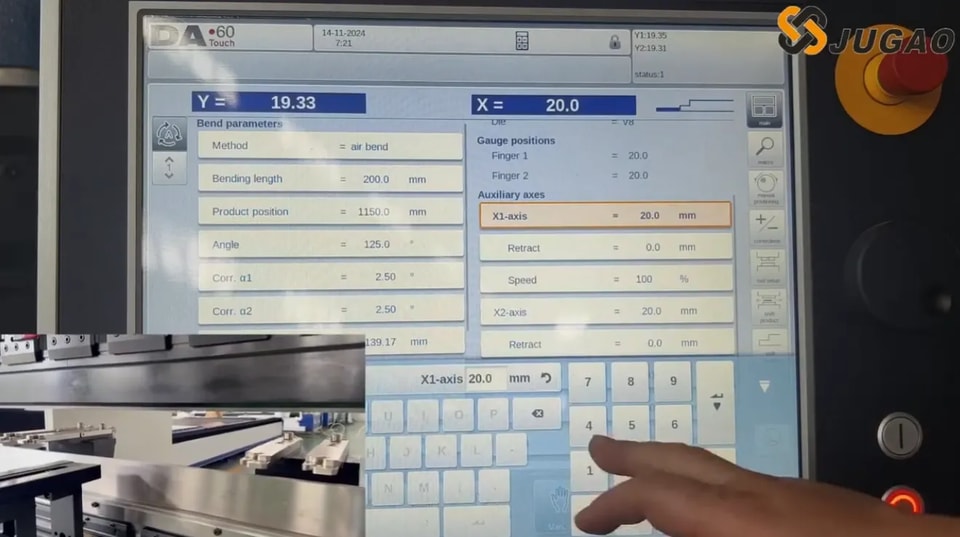
The first crucial step I always recommend is to record the full alarm message, including its specific numeric code, in writing. Examples of such messages include:
• “Y1 Tracking Error”
• “Hydraulic Pressure Excessively Low”
• “Backgauge X-Axis Position Deviation”
Never rely on memory for this information—even minor differences in code numbers can point to entirely distinct malfunctions.
Step 2: Access the CNC Alarm History Record
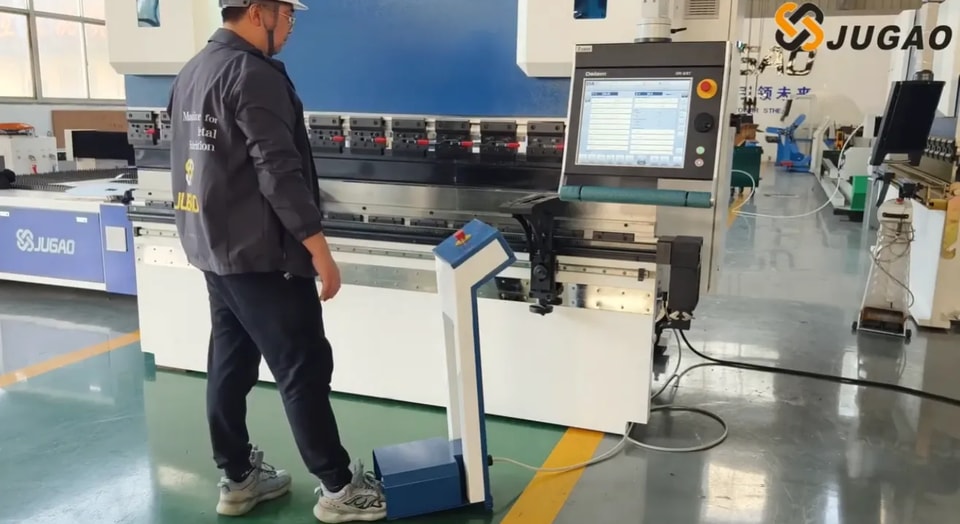
Most modern CNC press brake systems store a detailed history of all alarm occurrences. Navigate to the system’s diagnostic interface and review key details such as:
• The exact time the alarm was triggered
• Whether the alarm has occurred repeatedly
• If the alarm coincided with a specific machine operation
This information is vital for determining if the problem is an occasional glitch or a persistent, systemic fault.
Step 3: Classify the Corresponding System Module
I recommend categorizing Press Brake CNC Alarm Codes according to the machine’s functional modules, which includes:
• Axis control alarms (Y1, Y2, X, R, Z axes)
• Hydraulic system alarms
• Safety circuit alarms
• Communication or encoder alarms
Once the module is identified, you can immediately narrow down the scope of your inspection and troubleshooting.
Common Press Brake CNC Alarm Codes and Their Root Causes
Familiarizing yourself with the most typical alarm codes and their triggers can save a great deal of time in actual production scenarios, streamlining the troubleshooting process.
Y-Axis Tracking Error Alarm
This alarm is most commonly an indicator of synchronization failures between the Y1 and Y2 hydraulic cylinders of the press brake.
Potential contributing factors include:
• Signal interference with the linear scale
• Malfunction of the servo valve
• Unstable hydraulic pressure supply
• Loose connections of the encoder
My standard troubleshooting approach for this alarm starts with verifying hydraulic pressure stability, followed by inspecting the feedback signals transmitted by the linear encoders.
Low Hydraulic Pressure Alarm
This is among the most frequently encountered Press Brake CNC Alarm Codes in daily production.
Common root causes are:
• Insufficient hydraulic oil level
• Clogged hydraulic oil filter
• Hydraulic pump malfunction
• Excessively high hydraulic oil temperature
Before concluding that the hydraulic pump is damaged, I always first check the oil level and the condition of the oil filter. In many cases, the issue is simply the result of neglected routine maintenance.
Backgauge Positioning Deviation (X-Axis Alarm)
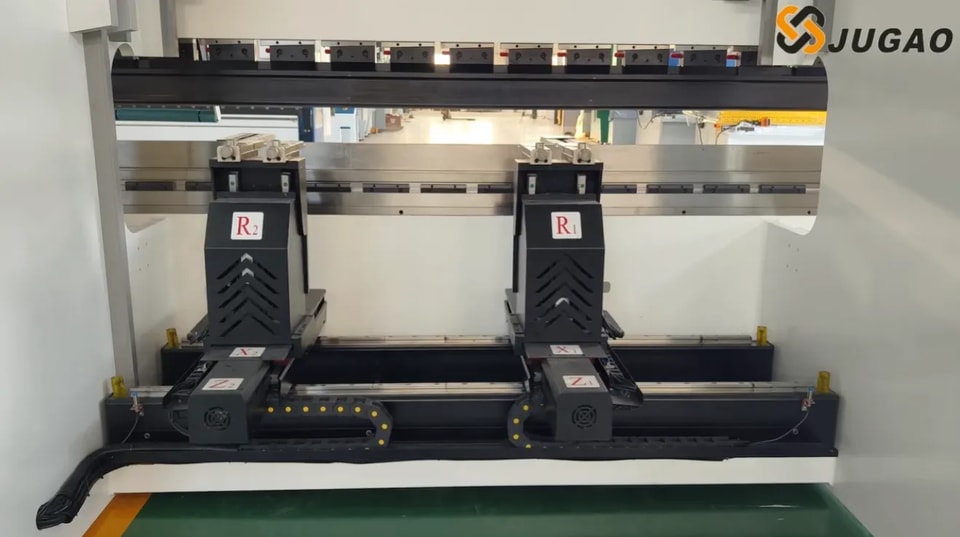
The CNC system will trigger this alarm when the backgauge fails to reach the position programmed into the system.
Typical causes for this deviation include:
• Contamination of the ball screw
• Overload of the servo driver
• Mechanical obstructions in the movement path
• Miscalibration of system parameters
In such instances, I recommend manually jogging the axis at a slow speed to check for any abnormal resistance during its movement.
A Step-by-Step Troubleshooting Protocol for Press Brake CNC Alarm Codes
Rather than reacting to an alarm with panic or impulsive action, following a structured, systematic troubleshooting process is the key to effective resolution.
Step 1: Halt Machine Operation in a Safe Manner
Prior to any inspection or troubleshooting work, always ensure the machine is completely shut down in accordance with safe operating procedures. Safety is the top priority in all maintenance activities.
Step 2: Check for External and Simple Trigger Factors
I start by inspecting the most straightforward and external components that could trigger the alarm, including:
• Emergency stop buttons (for accidental activation)
• Safety light curtains (for blockages or malfunctions)
• Circuit breakers in the electrical cabinet (for tripping)
• Hydraulic oil level indicators (for low levels)
A surprising number of alarms are triggered by faults in the safety circuit, rather than major mechanical or hydraulic system failures.
Step 3: Examine All Electrical Connection Nodes
Loose wiring is a leading cause of intermittent alarm codes. I focus on inspecting the following critical connection points:
• Servo drive connectors
• Encoder cables and their connections
• Electrical terminal blocks
Continuous machine vibration over time can cause these connections to loosen, leading to signal disruptions and alarms.
Step 4: Confirm the Stability of the Hydraulic System
Using the on-board pressure gauge, verify whether the hydraulic system can reach its rated operating pressure. If the pressure is insufficient, inspect the following components:
• The working condition of the hydraulic pump
• The calibration settings of the relief valve
• The presence of contamination in the hydraulic oil
Step 5: Conduct a Thorough Review of CNC Parameters
Incorrect adjustments to CNC system parameters are a common cause of persistent, recurring alarms. When necessary, cross-reference the current parameter settings with the original factory calibration parameters provided by the manufacturer.
Effective Measures to Prevent Frequent Press Brake CNC Alarm Codes
Preventive maintenance is always more cost-effective and efficient than reactive repair, and this holds true for reducing press brake CNC alarm occurrences.
Implement Regular Preventive Maintenance
Scheduled routine inspections and maintenance directly reduce the frequency of alarm codes. I recommend the following key maintenance tasks:
• Regular cleaning of linear scales to prevent contamination
• Timely lubrication of backgauge ball screws
• Scheduled replacement of hydraulic oil filters
• Routine inspection of cooling fans for proper operation
Maintain Cleanliness and Ventilation of Electrical Cabinets
Dust accumulation inside electrical cabinets can lead to component overheating and electrical signal interference—both major triggers of alarm codes. Ensuring proper ventilation not only reduces alarms but also extends the service life of critical components such as servo drivers.
Train Operators on Basic Alarm Logic Comprehension
It is essential to train on-site operators to recognize and distinguish between different types of alarm codes, including:
• Axis synchronization alarms
• Safety interlock alarms
• Hydraulic pressure warning alarms
A basic understanding of alarm logic prevents unnecessary panic when alarms occur and reduces unplanned downtime by enabling operators to take initial, appropriate action.
Frequently Asked Questions (FAQs)
What is the immediate action when Press Brake CNC Alarm Codes pop up?
First, stop the machine in a safe manner, then record the exact alarm message and code number, and identify the corresponding system module of the alarm before taking any further troubleshooting steps.
Is it feasible to reset Press Brake CNC Alarm Codes without resolving the underlying issue?
While some alarm codes can be cleared temporarily by resetting the system, the alarm will inevitably reoccur if the root cause is not addressed. I always recommend conducting a thorough diagnosis to resolve the underlying fault before resetting the alarm.
Do Press Brake CNC Alarm Codes vary between Delem and ESA systems?
Yes, the two systems differ in terms of alarm code numbering and the user interface for displaying alarms. However, the core logic behind axis control, hydraulic pressure, and safety circuit alarms is essentially the same across both systems.
What strategies can reduce the frequency of CNC alarm occurrences?
Implementing regular preventive maintenance, ensuring proper and timely lubrication of mechanical components, maintaining stable hydraulic system pressure, and keeping the electrical system clean and free of dust are the most effective strategies to significantly reduce the frequency of CNC alarm codes.
Conclusion
Understanding Press Brake CNC Alarm Codes is not about memorizing a list of random numbers—it’s about grasping the underlying system logic that each code represents. From practical experience, the vast majority of alarm codes are early warning signals of potential issues, rather than indicators of catastrophic, irreparable machine failure.
By following a structured troubleshooting process—recording the exact code and message, identifying the corresponding system module, and conducting a systematic inspection—you can resolve alarm-related issues quickly and safely, minimizing production downtime.
If you are experiencing recurring CNC alarm codes that cannot be resolved with basic troubleshooting, or if you require professional technical support, we recommend contacting a specialized engineering team. Accurate professional diagnosis and consistent preventive maintenance will not only reduce unplanned production downtime but also protect the long-term operational accuracy and reliability of your press brake equipment.
Contact Us