
Efficient Manual Calculation Guide for ESA S875
2026-03-31

ESA S875 Manual Calculation is the ideal solution when greater control over the bending sequence is required. If you're seeking a clear explanation of how to use this function effectively, this article provides exactly that. In this guide, I explain when manual calculation should be applied, how it differs from automatic calculation, and how operators can actively define or adjust bending sequences to accommodate complex parts. By understanding the logic and workflow behind ESA S875 Manual Calculation, users can more easily reduce calculation conflicts, manage potential collisions, and achieve stable, accurate bending results in daily press brake operations.
Accessing the Manual Calculation Procedure
Open the Calculation Window
The manual calculation procedure is accessed from the drawing mask of the piece:
1. Press [Calculate] to open the calculation window.
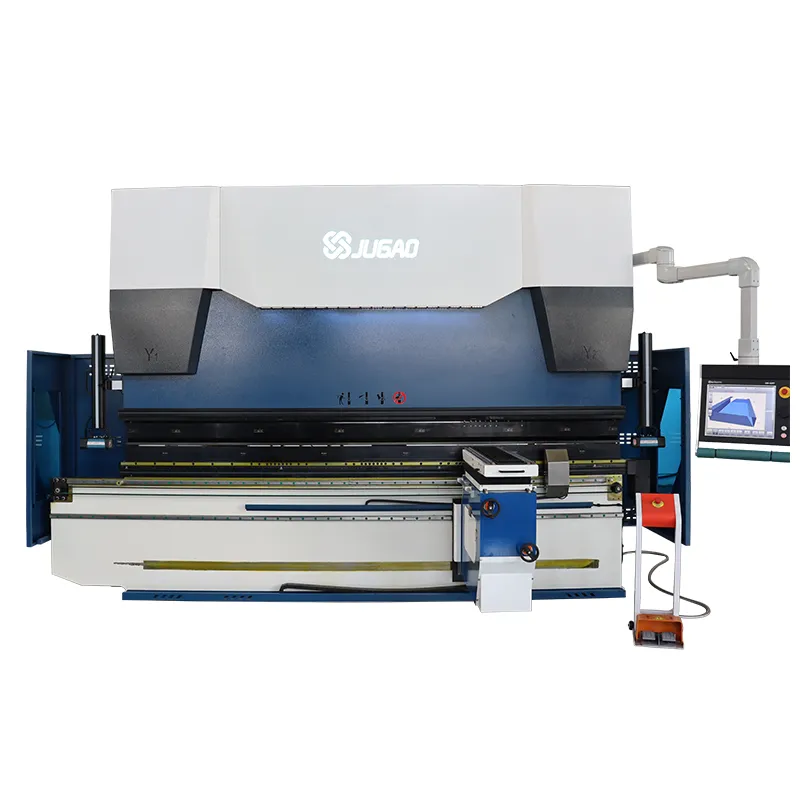
2. The window displays the part along with the press brake components, including the upper and lower beams, punch, die, and backgauge.
3. Three additional windows on the right show rotation counts, piece tipping, and bending sequence search results.
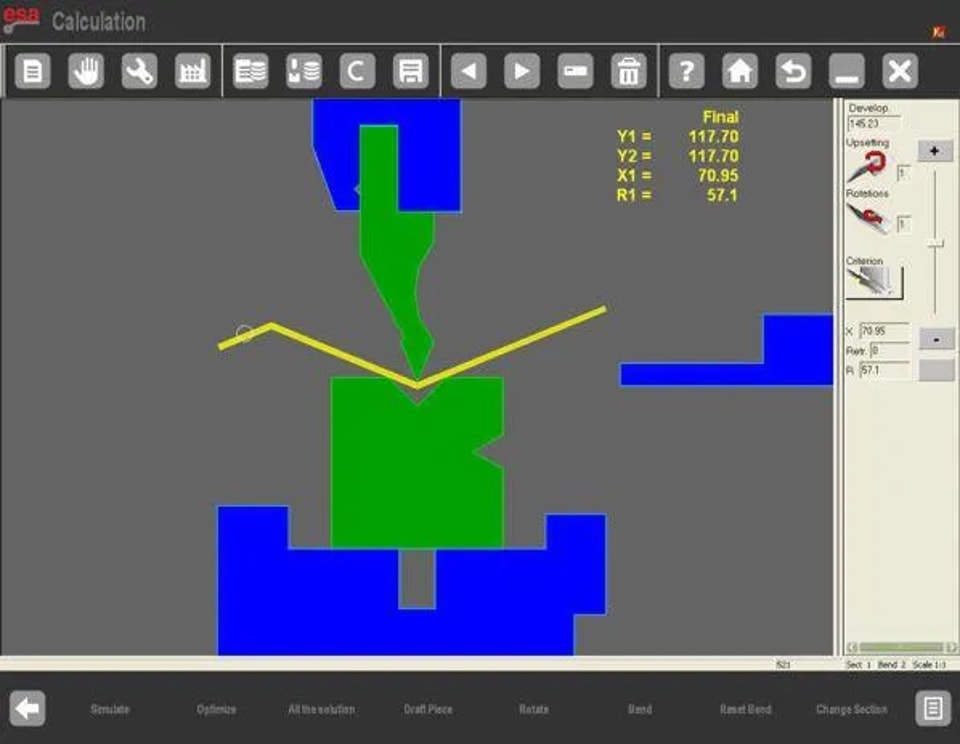
These features provide a comprehensive overview, allowing operators to analyze potential collisions and feasibility before bending begins.
Defining the Bending Sequence
Manual Search for Bends
In ESA S875 Manual Calculation, the operator defines the sequence by forcing bends:
1. Navigate between bends using the arrow keys.
2. Press the [Bend] key to force a selected bend into the sequence.
3. Press [Bend] again to remove or straighten a forced bend.
4. Rotate the part using the [Rotate] key if required to check orientation.
5. After all desired bends are forced, press [Optimise] to allow the control to calculate the remaining sequence while respecting the operator’s inputs.
Sequence Feasibility
ESA S875 Manual Calculation provides feedback:
l Forced Solution: Indicates the sequence is not feasible due to collisions or constraints.
l Solution Found: Confirms the sequence is feasible and ready to be accepted.
Collisions are highlighted visually, helping operators identify problematic bends. Even if collisions are minor and do not damage the metal sheet, the full sequence can be forced to proceed.
Simulation of the Manual Sequence
Step-by-Step Simulation
After accepting the solution, simulate the bending sequence:
1. Press [Simulate] to display the flat part ready for bending.
2. Use [Resting against/supported] to select how the part rests or is supported.
3. Press [Continue] to move the part through each bend in sequence.
4. Use [Stop] and [Previous] to control simulation flow.
This ensures each bend is executed accurately and confirms the sequence is safe and efficient before actual production.
Resting Against / Supported Mode
Operators can define the bending support:
l Select the resting or supported position as needed.
l ESA S875 Manual Calculation automatically adjusts X and R axis corrections.
l Changes must be made in the simulation mask for graphic programmes.
Modifying the Sequence
Even after optimisation, ESA S875 Manual Calculation allows sequence adjustments:
1. Move between bends using navigation keys.
2. Remove or reassign bends using the [Bend] key.
3. Reorder bends according to production requirements.
This flexibility ensures that manual calculations remain practical and adaptable, accommodating production changes without redrawing the entire part.
Conclusion
ESA S875 Manual Calculation gives operators full control over the bending sequence, making it an essential function when automatic calculation cannot deliver an optimal or feasible result. By manually forcing bends, adjusting rotation angles, and validating each step through simulation, even complex parts and challenging geometries can be handled with greater accuracy and confidence.
Proper use of ESA S875 Manual Calculation helps reduce the risk of collisions, improves bending precision, and ensures that the final bending sequence aligns with actual production requirements. When combined with simulation and resting-against or supported modes, this approach enhances overall process reliability and machine efficiency.
For further assistance with ESA S875 Manual Calculation, bending sequence optimization, or press brake programming, feel free to contact the technical team or explore additional ESA S875 programming guides available on the website.
Contact Us