
Streamlining Workflow Efficiency with ESA S630 Machine Setup
2025-12-12

If you are looking to maximize operational efficiency, the ESA S630 Machine Setup offers a powerful solution. This article will examine how implementing this system can significantly enhance your workflow, reduce cycle times, and boost overall productivity. By gaining a clear understanding of its setup and capabilities, you can fully leverage this technology to streamline tasks and improve output quality in your industrial operations. Whether you are new to the ESA S630 or an experienced user aiming to optimize performance, this guide delivers actionable insights to refine your processes. Let’s explore the essential benefits and practical steps to mastering the ESA S630 Machine Setup.
Introduction
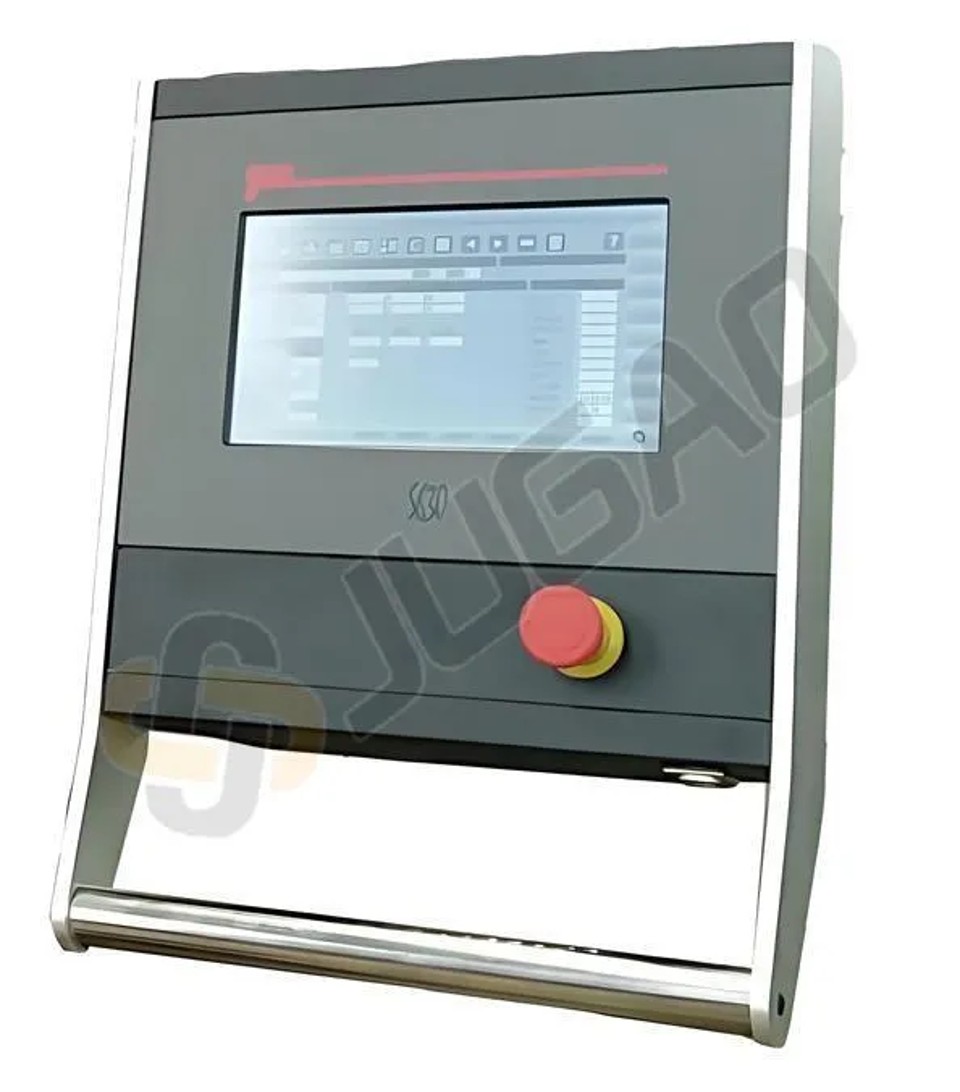
When it comes to improving your workflow, understanding the ESA S630 machine and its capabilities is crucial. The ESA S630 is a sophisticated piece of equipment in industrial settings, designed to offer precision and efficiency in various operations. An optimized ESA S630 Machine Setup directly impacts the productivity and effectiveness of your operations, ensuring that tasks are completed faster and with greater accuracy.
By familiarizing yourself with the setup process, and tailoring it to your specific needs, you unlock the machine’s full potential, resulting in reduced waste and increased throughput. As industries strive to stay competitive, optimizing machine efficiency is no longer just an option but a necessity for maintaining a cutting-edge advantage.
Menu Selection
To select the contextual menu of the page you must press [Menu]one times. This step is crucial in the overall ESA S630 Machine Setup process, as it allows you to access various configuration and diagnostic tools essential for optimizing machine performance. Pressing [Menu] two times this selection list will appear:
0>> Editor
1>> Axis Parameters
2>> Configuration
3>> Diagnose
4>> User Parameters
5>> Shut Down
6>> Version
7>> Logo
Each of these options plays a vital role in the ESA S630 Machine Setup, enabling you to tailor the machine’s capabilities to fit your specific workflow needs. Whether adjusting axis parameters or checking system diagnostics, navigating through this menu efficiently is key to enhancing operational efficiency.
Touch Environment Insights
The ESA S630 machine setup is designed to significantly improve operational efficiency and productivity. With its modern, user-friendly interface, the ESA S630 Machine Setup simplifies complex tasks, ensuring smooth operation and minimal downtime. The new interface of the NC Kvara S630 Touch born with a new interactive graphics on which every function is achieved at the touch of your finger. This not only because Esautomotion S.r.l. aligns well to the features most current PC environment but also want to speed up and facilitate the work of its end user.
Soft Keyboard
Whenever you have to set some data in the input fields, just type on the screen to edit the data directly with your finger and immediately you will see the Soft Keyboard as shown in the figure.
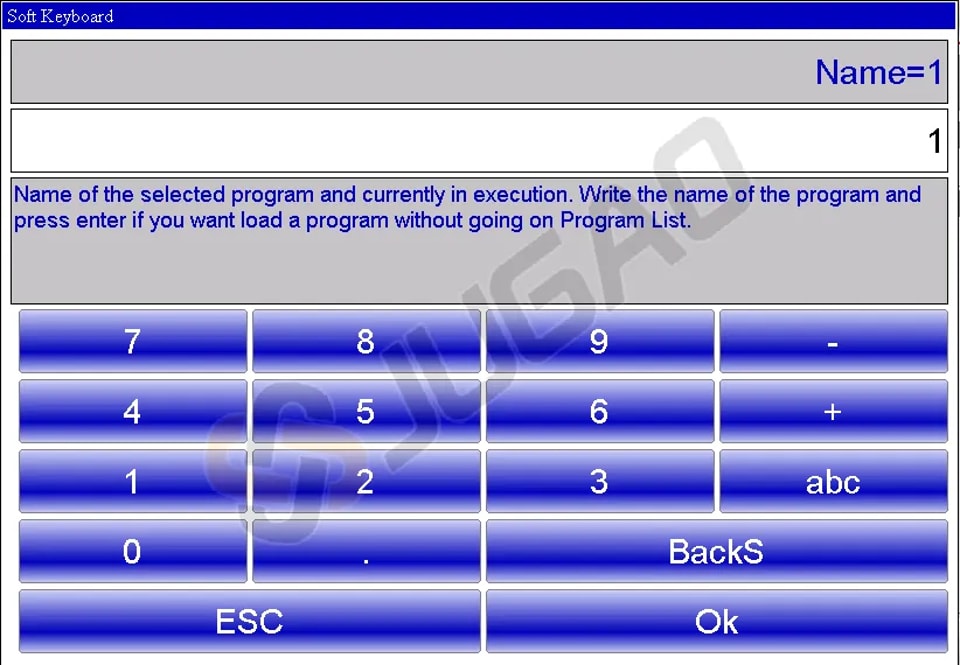
When you confirm an inserted data, the Soft Keyboard closes.
Pressing “abc” will appear in the literary characters to nominate programs, tools or to set data:
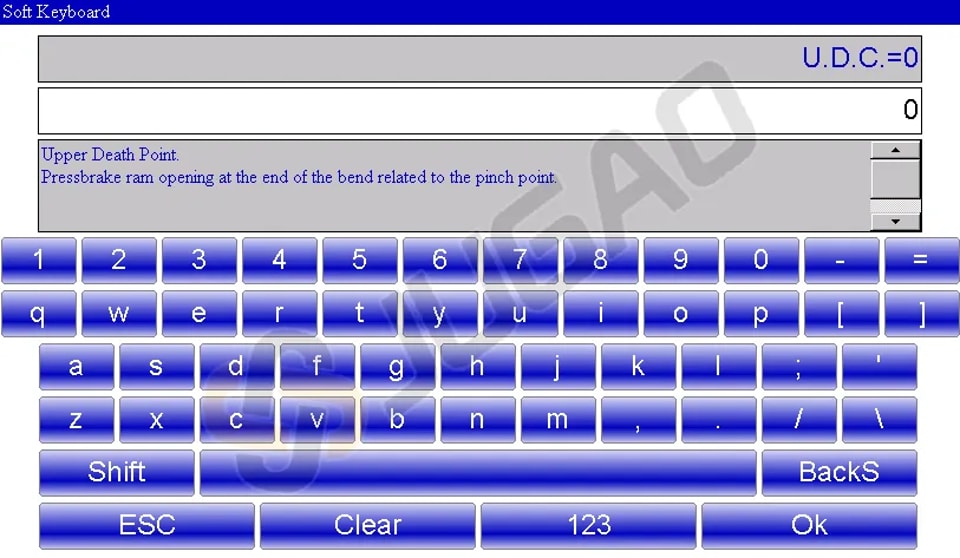
The Soft Keyboard is a virtual keyboard and interactive that has all the functionality of a PC keyboard but with the advantage that being in touch environment. This ensures that users have direct access to the keyboard on the screen, allowing for uninterrupted visual monitoring of changes and entries made to their workflow. Such an approach not only enhances user interaction but also significantly expedites all necessary operations, thus making the ESA S630 machine setup an indispensable asset for optimizing industrial workflows.
Machine Setup for Optimal Performance
Operations to execute after powering
To fully leverage the ESA S630 Machine Setup, it is obligatory to reference the ram to access the automatic phase and execute a work program efficiently. An optimized ESA S630 Machine Setup directly impacts the productivity and effectiveness of your operations, ensuring that tasks are completed faster and with greater accuracy. The reference of the back-gauges axes is optional.
However, it is advisable to reference them if there are doubts about the correctness of the current back-gauges axes targets. This becomes particularly important when an axis might have been moved manually while the numeric control was off.
Detailed Ram Reference Procedure
When setting up the ESA S630, correctly referencing the ram is vital for seamless operation and achieving optimal performance. A precise ram reference ensures that you can execute programs accurately in automatic mode. Here’s how you can comply with the procedure to reference the ram on your ESA S630 Machine Setup:
-Start by pressing

-If the ram is positioned upwards, press the down pedal to maneuver it below the zero marks. This step is crucial for setting the baseline position.
-Next, press the up pedal. This action activates manual re-ascent, especially if the machine has undergone a reset. During this phase, the ram will ascend until it aligns with the zero marks of the optic linear scales located on the two cylinders, marking the reference point.
Once this setup is complete, your ESA S630 is ready to execute a program in automatic mode efficiently. If you need to repeat the reference procedure without restarting the NC:
-Press [Repeat Reference] on the control panel.
-Follow by pressing the re-ascent pedal.
By adhering to this ram reference procedure, you ensure that your ESA S630 operates at peak efficiency, enhancing workflow and maintaining high productivity standards in your operations.
Back-Gauges Axes Referencing
To properly execute the ESA S630 Machine Setup, referencing the back-gauges axes is a critical step to ensure precision in your operations. Follow these steps for accurate referencing of the back-gauge axes:
-Press

-Press

During this process, the back-gauges axes will move towards the reference limit switch. Upon touching the limit switch, they will reverse direction. After releasing the limit switch, the axes will then reference to the first zero mark of the encoder. By optimizing this setup, you maximize the operational potential of your ESA S630, leading to improved workflow and productivity.
Conclusion
Mastering the ESA S630 Machine Setup is pivotal to enhancing workflow, as it ensures precision in every operation and unlocks the full potential of your machine's efficiency. By meticulously adhering to the procedures in this guide—particularly in referencing the back-gauge axes—you can achieve significant gains in accuracy while substantially reducing downtime, resulting in a more streamlined and productive manufacturing process.
To further advance your machining operations, we invite you to contact our specialist team for personalized support or specific inquiries. Complement this with access to our comprehensive library of resources and technical documentation, designed to provide deeper insights into optimizing your ESA S630. Remaining proactive in leveraging these tools will help maintain the effectiveness and competitiveness of your production activities.
Contact Us