
Laser Cutting Electrical System Maintenance Guide
2026-09-08

SEO Configuration
SEO Title: How to Maintain a Laser Cutting Electrical System | JUGAO Guide
Meta Description: Learn how to inspect, clean, test and protect a laser cutting electrical system to improve safety, reduce downtime and maintain stable cutting performance.
Focus Keyword: laser cutting electrical system maintenance
Secondary Keywords: laser cutter electrical maintenance, CNC electrical inspection, laser machine wiring maintenance, laser safety interlock testing
Suggested URL Slug: /laser-cutting-electrical-system-maintenance/
English Version
How to Maintain a Laser Cutting Electrical System
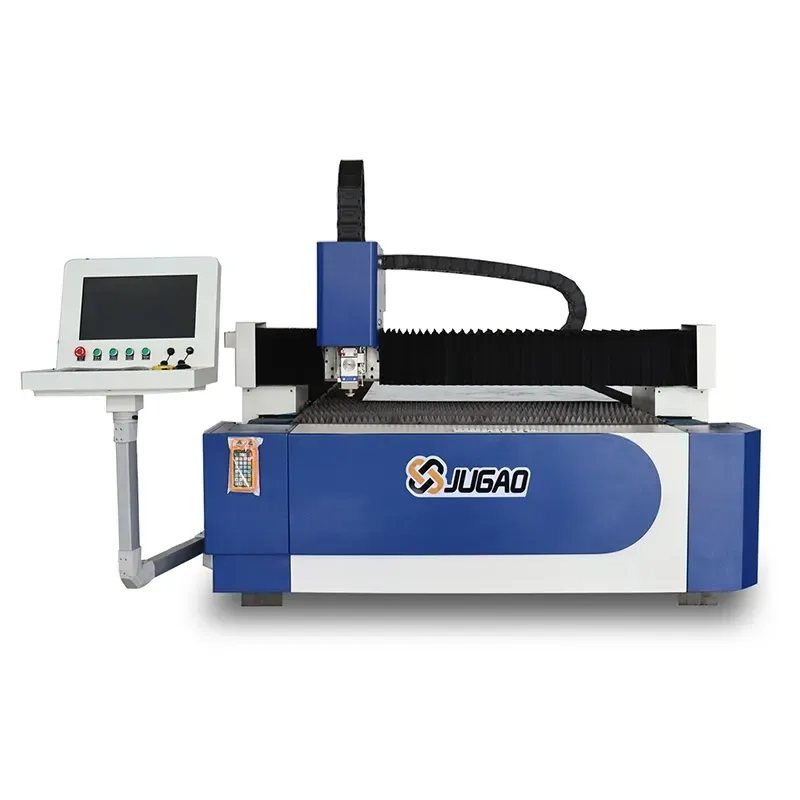
The electrical system is the control and power foundation of a laser cutting machine. It distributes energy, processes CNC commands, receives feedback from sensors and coordinates safety functions. When electrical components are exposed to dust, heat, moisture, vibration or loose connections, the machine may develop unstable motion, alarm messages, irregular cutting performance or complete production stops.
A structured maintenance program allows operators and technicians to identify these risks before they become serious faults. This guide explains the main components of a JUGAO laser cutting electrical system and provides a six-step maintenance sequence covering isolation, inspection, cleaning, connection checks, safety testing and performance monitoring. The tutorial order and technical focus remain consistent with the source material, while the wording and organization have been fully rewritten.
Table of Contents
1. Key Components of a Laser Cutting Electrical System
Power Supply and Circuitry
Control Panels and CNC Electronics
Sensors and Safety Interlocks
2. Step-by-Step Maintenance Procedures
Step 1: Power Down and Apply Lockout/Tagout
Step 2: Perform a Complete Visual Inspection
Step 3: Clean Electrical Components Safely
Step 4: Check and Secure Electrical Connections
Step 5: Test Safety Systems
Step 6: Restore Power and Monitor Performance
3. Best Practices for Long-Term Electrical System Maintenance
4. Frequently Asked Questions
5. Conclusion
Key Components of a Laser Cutting Electrical System
Power Supply and Circuitry
The power supply section converts and distributes electrical energy to the laser source, drives, controller and auxiliary systems. Its cables, circuit breakers, relays, contactors, terminals and protective devices must remain secure and free from heat damage. Discoloration, corrosion, burnt insulation or repeated fuse trips may indicate overload, poor contact or abnormal current conditions.
Stable voltage and current are important because fluctuations can affect both component life and machine performance. Maintenance personnel should compare measured values with the specifications for the relevant JUGAO model rather than relying only on whether the machine can still start.
Control Panels and CNC Electronics
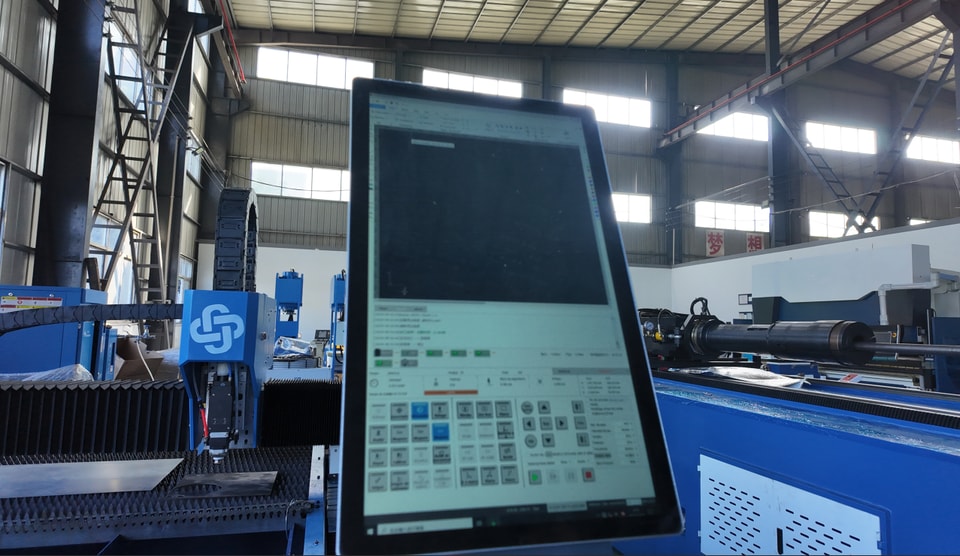
The control panel contains the CNC controller, interface modules, processors, drive communication devices and other sensitive electronics that coordinate cutting operations. These components are vulnerable to conductive dust, condensation, excessive temperature and electrostatic discharge.
The panel should remain clean, dry and properly ventilated. Inspect displays, control boards, connectors and communication cables for contamination or physical damage. Software and firmware updates should only be installed when they are approved for the machine configuration and when a valid backup of parameters and programs is available.
Sensors and Safety Interlocks
Sensors provide position, pressure, temperature and status feedback to the CNC, while safety interlocks prevent hazardous operation when doors, covers or protective zones are open. A dirty or misaligned sensor can create incorrect signals, and a damaged interlock can either stop production unnecessarily or fail to provide the required protection.
Routine maintenance should therefore include cleaning, alignment checks, cable inspection and functional testing of safety-related devices.
Step-by-Step Maintenance Procedures
Step 1: Power Down and Apply Lockout/Tagout
Before opening an electrical cabinet or touching wiring, shut down the laser cutting machine according to the normal operating procedure. Disconnect the main power source and apply the facility's lockout/tagout procedure so the system cannot be energized unexpectedly.
Because capacitors and power modules may retain electrical energy after shutdown, wait for the specified discharge period and verify the absence of hazardous voltage with an appropriate test instrument. Only trained and authorized personnel should perform work inside electrical enclosures.
Step 2: Perform a Complete Visual Inspection
Start with a systematic inspection from the incoming power section through the control cabinet and field wiring. Look for cracked insulation, loose cable glands, corrosion, damaged connectors, heat marks, abnormal odors, moisture and mechanical wear.
Pay particular attention to fuses, relays, contactors, terminal blocks, wiring harnesses and components located near heat sources or moving assemblies. Photograph or record any irregularity before adjusting it so that recurring problems can be tracked over time.
Step 3: Clean Electrical Components Safely
Dust and metal particles restrict airflow and may create leakage paths across electronic surfaces. Use an anti-static brush, lint-free cloth or controlled low-pressure air suitable for electrical equipment. Hold fans in place while cleaning so that compressed air does not spin them at excessive speed.
Clean ventilation openings, filters, fan guards and cabinet surfaces. Do not use wet cloths, aggressive chemicals or high-pressure air directly on circuit boards. If oily contamination or moisture is present, identify and eliminate the source before returning the machine to service.
Step 4: Check and Secure Electrical Connections
Loose terminals increase electrical resistance, which can cause voltage drop, intermittent faults, arcing and local overheating. Inspect power cables, grounding conductors, signal connectors and terminal blocks for looseness, oxidation or damaged contact surfaces.
Tighten connections to the specified torque rather than applying excessive force. Replace burnt, corroded or mechanically damaged connectors. When the machine uses plug-in modules, confirm that each module is fully seated and that locking clips are engaged.
Step 5: Test Safety Systems
After physical inspection, test the safety interlocks, emergency-stop buttons, door switches and related alarm circuits. Each device should place the machine in the intended safe state and prevent automatic restart until the proper reset procedure is completed.
Verify that warning lights, audible alarms and CNC messages correspond to the actual test condition. Any bypassed, damaged or unreliable safety component must be corrected before production resumes.
Step 6: Restore Power and Monitor Performance
Once inspection and cleaning are complete, confirm that tools, loose parts and cleaning materials have been removed from the cabinet. Close all covers, remove lockout devices according to the approved procedure and restore power.
Observe startup behavior and monitor voltage, current, temperature, drive status, sensor response and CNC communication. Run a controlled test program and check for abnormal alarms, unstable axis movement or inconsistent cutting results. Any deviation should be investigated immediately rather than cleared repeatedly without diagnosis.
Best Practices for Long-Term Electrical System Maintenance
Schedule Regular Inspections
A fixed inspection schedule prevents minor defects from remaining unnoticed. For typical production environments, operators can complete basic visual checks weekly, while qualified technicians perform more detailed electrical inspections monthly or according to operating hours and the JUGAO maintenance manual.
Maintain Proper Environmental Conditions
Electronic components perform best in a clean, dry and temperature-controlled environment. Keep cabinet doors closed during operation, maintain ventilation and cooling systems, and prevent cutting dust, oil mist and moisture from entering the electrical enclosure.
Large temperature changes can cause condensation, while high ambient temperatures accelerate component aging. Environmental monitoring is therefore part of electrical maintenance rather than a separate housekeeping task.
Document Maintenance Activities
Record the inspection date, operating hours, measured values, defects found, replaced parts and corrective actions. A consistent maintenance history helps technicians recognize repeated alarms, predict component replacement and evaluate whether a fault is linked to environment, workload or installation conditions.
Train Operators to Report Early Warning Signs
Operators should know how to recognize unusual smells, repeated alarms, display instability, delayed machine response and unexpected fuse or breaker operation. Early reporting allows maintenance personnel to investigate before the fault affects a larger part of the system.
Frequently Asked Questions
How often should a laser cutting electrical system be inspected?
Basic visual checks can be carried out weekly, while a detailed inspection of cabinets, wiring, terminals and safety circuits should generally be completed monthly or according to machine usage and the JUGAO service schedule.
What are common signs of electrical problems in a laser cutter?
Typical warning signs include repeated fuse or breaker trips, burnt odors, hot connectors, intermittent CNC alarms, unstable axis response, flickering displays and inconsistent cutting performance.
Can preventive electrical maintenance reduce downtime?
Yes. Cleaning, tightening, testing and recording component condition helps identify developing faults before they cause an unexpected production stop.
Why do loose connections cause serious problems?
A loose connection increases resistance and heat at the contact point. This may lead to voltage drop, arcing, damaged insulation or failure of the connected component.
Should operators update CNC software during routine maintenance?
Software or firmware should only be updated when the version is approved for the machine configuration. Back up parameters, programs and settings before any update, and follow the supplier's installation procedure.
Who should work inside the electrical cabinet?
Only trained and authorized electrical or maintenance personnel should open the cabinet, measure live circuits or repair safety-related wiring.
Conclusion
The electrical system directly influences the safety, accuracy and availability of a laser cutting machine. Following a consistent sequence—power isolation, visual inspection, controlled cleaning, connection checks, safety testing and performance monitoring—helps reduce electrical failures and protect sensitive components.
JUGAO recommends combining these procedures with scheduled inspections, environmental control and complete maintenance records. For model-specific wiring diagrams, test values, replacement parts or technical assistance, contact the JUGAO technical service team and refer to the documentation supplied with the machine.
Contact Us