
How to Properly Maintain JUGAO Laser Machine Cooling Fans
2026-07-21

Table of Contents
• Core Value of Regular Maintenance for JUGAO Cooling Fans
○ Avoid Overheating of Precision Core Parts
○ Guarantee Steady Laser Processing Accuracy
○ Prolong the Whole Machine Service Life
○ Cut Production Stop Loss & Repair Expense
• Main Triggers of Cooling Fan Breakdowns
○ Accumulated Dust & Manufacturing Residues
○ Bearing Aging & Abrasion
○ Loose & Faulty Electrical Wiring
○ Ultra-High Workshop Working Temperature
• Complete Step-by-Step Maintenance Procedure for JUGAO Cooling Fans
○ Step 1: Fully Cut Off Power for Safe Operation
○ Step 2: Carry Out Overall Visual Inspection on Fans
○ Step 3: Thoroughly Clean Fan Blades & Air Filter Elements
○ Step 4: Test Fan Rotation Smoothness & Abnormal Sound
○ Step 5: Double-Check All Circuit Connection Terminals
○ Step 6: Test Fan Running Status Under Load
• Long-Term Stable Operation Standard Practices for JUGAO Cooling Fans
○ Formulate Fixed Periodic Cleaning Cycles
○ Keep the Processing Workshop Dust-Free
○ Timely Swap Out Malfunctioning Cooling Fans
○ Strictly Control On-Site Ambient Temperature
• Typical Wrong Operations in JUGAO Fan Maintenance
○ Disregard Tiny Abnormal Sound Signals
○ Improper Use of High-Pressure Air Blowers
○ Disregard Regular Replacement of Air Filters
○ Postpone Scheduled Maintenance Tasks
• Frequently Asked Questions
○ What’s the Standard Cycle for JUGAO cooling fan maintenance?
○ What symptoms indicate a cooling fan is about to fail?
○ Will clogged cooling fans ruin laser cutting finish?
○ Is it necessary to replace all cooling fans simultaneously?
• Final Summary
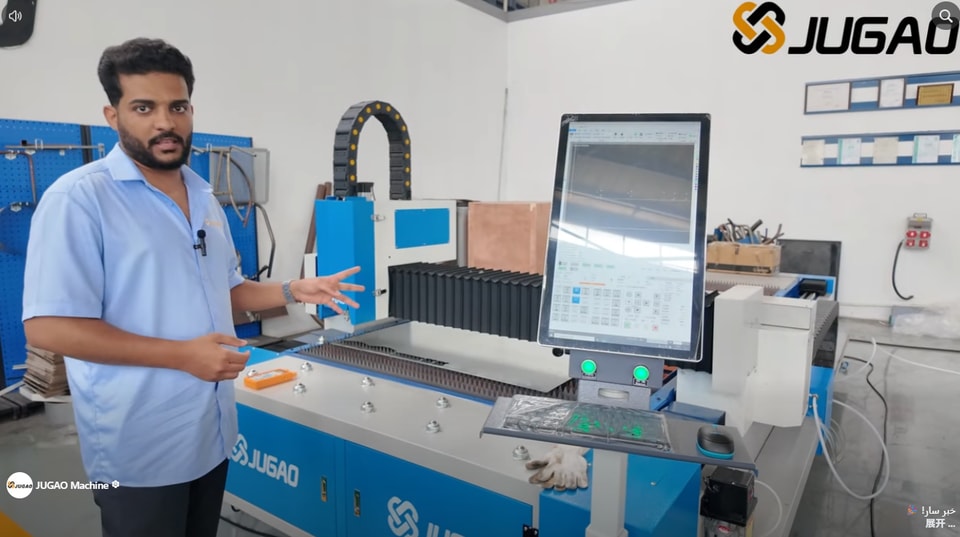
Regular maintenance of cooling fans is an indispensable work to keep JUGAO laser cutting equipment running safely and efficiently. Cooling fans undertake the core heat dissipation task for the laser generator, electrical control cabinet, servo drive unit and precision control components. If you want to master standardized fan maintenance skills and eliminate hidden dangers of equipment overheating, this guide will be your practical reference. This article sorts out operable maintenance workflows, common fault judgment methods and daily preventive protection schemes, helping you extend the service life of JUGAO laser equipment while maintaining consistent processing stability.
Core Value of Regular Maintenance for JUGAO Cooling Fans
Avoid Overheating of Precision Core Parts
Cooling fans discharge redundant heat generated by laser sources, electrical cabinets and motion control systems in real time. Once air circulation is blocked, internal temperature will surge rapidly, which will cause irreversible damage to high-precision sensitive components.
Guarantee Steady Laser Processing Accuracy
Overheated electrical control systems will trigger fluctuating laser energy output, cutting positioning deviation and sudden automatic shutdown. Sufficient and stable heat dissipation can maintain consistent cutting effect and stable equipment operation.
Prolong the Whole Machine Service Life
Periodic maintenance of JUGAO cooling fans reduces continuous thermal load on electronic parts and effectively prevents premature aging and failure of core components.
Cut Production Stop Loss & Repair Expense
The replacement cost of damaged servo drivers or laser oscillators is far higher than daily fan maintenance fees. Daily preventive maintenance can avoid huge economic losses caused by unexpected production halts.
Main Triggers of Cooling Fan Breakdowns
Accumulated Dust & Manufacturing Residues
Metal dust and processing debris stick to fan blades and filter screens, blocking air circulation channels, forcing fan motors to operate under heavy load and reducing heat dissipation efficiency sharply.
Bearing Aging & Abrasion
Long-term running will wear fan bearings, resulting in strange noises, obvious vibration and decreased rotating speed of the fan.
Loose & Faulty Electrical Wiring
Loose wiring terminals or unstable input voltage will make cooling fans unable to run at rated power, leading to intermittent startup failure or complete shutdown.
Ultra-High Workshop Working Temperature
Excessively high ambient temperature inside the factory workshop adds extra heat burden to the whole cooling system, accelerating the aging and damage speed of cooling fans.
Complete Step-by-Step Maintenance Procedure for JUGAO Cooling Fans
Step 1: Fully Cut Off Power for Safe Operation
Before launching any maintenance work, disconnect the main power supply of JUGAO laser machine, and implement power lockout and warning procedures to eliminate electric shock risks for operators.
Step 2: Carry Out Overall Visual Inspection on Fans
Open the electrical cabinet cover, and check all built-in cooling fans comprehensively: observe dust accumulation degree, check whether fan blades are cracked, mounting brackets are loose or parts have obvious aging traces.
Step 3: Thoroughly Clean Fan Blades & Air Filter Elements
Adopt low-pressure compressed air, soft bristle brush or vacuum cleaner to remove dust on fan blades, protective mesh covers and filter cotton. Unobstructed air channels can greatly lift the overall heat dissipation performance of the equipment.
Step 4: Test Fan Rotation Smoothness & Abnormal Sound
Turn the fan impeller by hand to check whether the rotation is smooth and unobstructed. If there is jamming or grinding noise during rotation, it means the bearing has worn out and needs immediate replacement.
Step 5: Double-Check All Circuit Connection Terminals
Examine each wiring connector and terminal block: check for looseness, surface corrosion or black high-temperature scorch marks, and fasten all loose wiring securely.
Step 6: Test Fan Running Status Under Load
Finish all maintenance operations, restore the equipment assembly, restart the JUGAO laser machine, and monitor fan rotating speed, air output volume and equipment operating temperature to confirm all cooling units function normally.
Long-Term Stable Operation Standard Practices for JUGAO Cooling Fans
Formulate Fixed Periodic Cleaning Cycles
According to the dust concentration of the workshop and daily running hours of the equipment, arrange fan and filter cleaning every 1 to 2 months. For heavily dusty processing environments, shorten the maintenance cycle appropriately.
Keep the Processing Workshop Dust-Free
Dense dust will accelerate the contamination of cooling components. Regularly sweep the workshop ground, clean equipment surfaces and collect cutting waste to reduce the amount of dust entering the heat dissipation system.
Timely Swap Out Malfunctioning Cooling Fans
Do not continue running the laser machine with noisy or slow-speed cooling fans. Delayed replacement will cause equipment overheating and permanent damage to expensive core parts.
Strictly Control On-Site Ambient Temperature
Keep the workshop temperature within the operation temperature range specified by JUGAO official manuals, so as to lower the long-term operation load of cooling fans and extend their service life.
Typical Wrong Operations in JUGAO Fan Maintenance
Disregard Tiny Abnormal Sound Signals
Slight rattling or friction noise is an early warning signal of bearing wear. Timely inspection and replacement can avoid sudden fan breakdown during production.
Improper Use of High-Pressure Air Blowers
Blowing dust with ultra-high pressure air will deform fan blades, and push fine dust into the internal circuit of the fan, causing secondary electrical faults.
Disregard Regular Replacement of Air Filters
Even if the fan itself runs normally, blocked filter screens will block air flow and drastically weaken heat dissipation capacity.
Postpone Scheduled Maintenance Tasks
Skipping regular inspection cycles will lead to unnoticeable dust accumulation and part abrasion, which will gradually reduce the cooling efficiency of the whole set of equipment.
Frequently Asked Questions
What’s the Standard Cycle for JUGAO cooling fan maintenance?
We suggest conducting full inspection and cleaning for cooling fans every 1 to 2 months. Adjust the cycle according to daily working hours and dust level of the processing site.
What symptoms indicate a cooling fan is about to fail?
Typical early failure signs include unusual running noise, obvious body vibration, weak air output, equipment overheating alarm and unstable laser processing performance.
Will clogged cooling fans ruin laser cutting finish?
Absolutely yes. Poor heat dissipation caused by dirty fans leads to equipment overheating, which brings unstable laser energy output, cutting position deviation and reduced processing precision.
Is it necessary to replace all cooling fans simultaneously?
It is not mandatory. However, if multiple fans have the same long service life and show obvious aging wear, unified replacement can improve the overall stability of the heat dissipation system.
Final Summary
Scientific and standardized maintenance of JUGAO cooling fans is the core guarantee for stable equipment operation, protection of precision components and extension of machine service life. By sticking to regular fan cleaning, real-time airflow monitoring, regular circuit inspection and prompt replacement of worn parts, you can effectively cut down equipment overheating risks and avoid economic losses from unexpected production shutdowns.
Continuous preventive maintenance can not only boost heat dissipation efficiency, but also ensure JUGAO laser equipment maintains high precision and stable operation for a long time. If you encounter complex fan faults or need targeted maintenance guidance, you can contact our professional technical team for one-to-one technical support.
Contact Us