
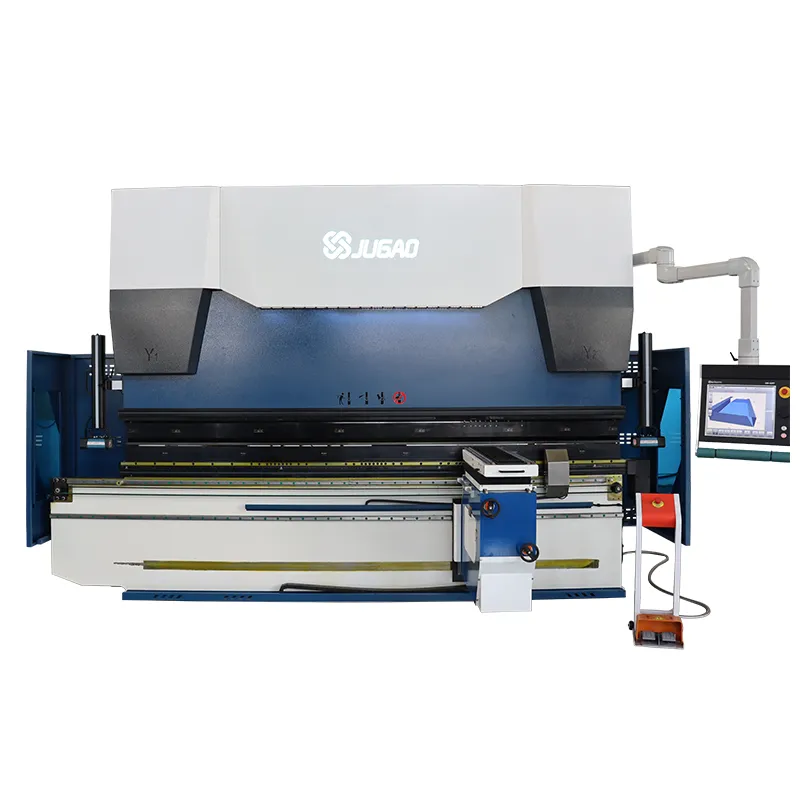
Achieving Superior Precision with ESA S530 Machine Functions
2026-01-15

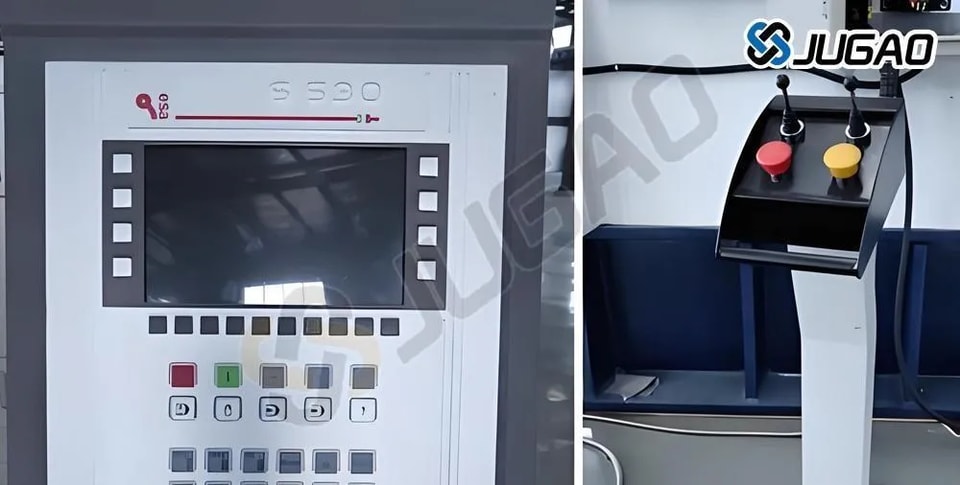
In modern metalworking, precision is not just a goal but a fundamental requirement for quality—and this is where the capabilities of the ESA S530 truly stand out. If you're looking to understand how its specialized machine functions can elevate the accuracy, consistency, and finish of your sheet metal components, you've come to the right resource.
This article examines the engineering principles behind the ESA S530's precision-enhancing functions, detailing the technologies and control features that deliver measurable gains in part quality. Whether your focus is on minimizing deviations or achieving tighter tolerances consistently, the following insights will help you fully utilize the advanced capabilities of the ESA S530 to meet even the most demanding production standards.
Introduction
Precision is fundamental to metalworking, where even minor deviations can result in significant material waste and production setbacks. The ESA S530 machine functions are specifically engineered to address this critical need, delivering enhanced accuracy and repeatability across bending and forming operations. By integrating advanced control features and error-minimizing technologies, these functions enable consistently reliable results—elevating both the quality and efficiency of sheet metal fabrication.
“Sheet Metal-working Machine” Function
The following “Sheet Metal-working Machine” functions can be enabled:
l “New Bend” function
l Flattening bend forcing
How to Enable the “Sheet Metal-working Machine” Function
To enable the “Sheet Metal-working Machine” function on the ESA S530, Follow the steps below:
l Press the key twice and select item 2) Configuration.
l Next, choose item 7) Generic Parameters and press [Next].
l Enter the password and confirm with [OK].
l Input the value 1 in the Sheet Metal-working Machine field and press to activate it.
This will enable the “New Bend” and “Flattening Bend Forcing” functions, allowing you to fully utilize ESA S530 Machine Functions for enhanced precision.
“New Bend” Function
The “New Bend” function in ESA S530 Machine Functions is pivotal for precision. This function, which is activated in the Setups mask, is used to create new bends containing the same data as the previous bend. However, the new bends normally have only the same general data as the previous bend.
This function is activated in the following cases:
l Next function: Press this key when positioned on the last bend of the section to insert a new bend at the end of the section itself. This new bend will contain the same data as the preceding one.
l Insert Step function: select the Insert Step item from the menu to add a new bend in the current position.
l This new bend contains the same data as the preceding one.
Note When using the ESA S530 Machine Functions, it’s important to consider the “Next” function. If the function is enabled and you’re on the last bend, pressing this key again adds new bends. The key is useful for scrolling through existing bends effectively.
To add new steps traditionally, activate the [New Step] function key in the bend data entry mask when “New Bend” is activated. This ensures that each new bend contains only the general data of its predecessor, maintaining precision and consistency.
Flattening Bend Forcing
A notable feature is the ability to activate specific functions in the Setups mask. By entering a value of 0 in the Y1 Angle field, users can define a bend as a Flattening one (Coining). This capability provides greater control over bend accuracy, ensuring high-quality outcomes with minimal errors.
New “Machine Functions” Mask
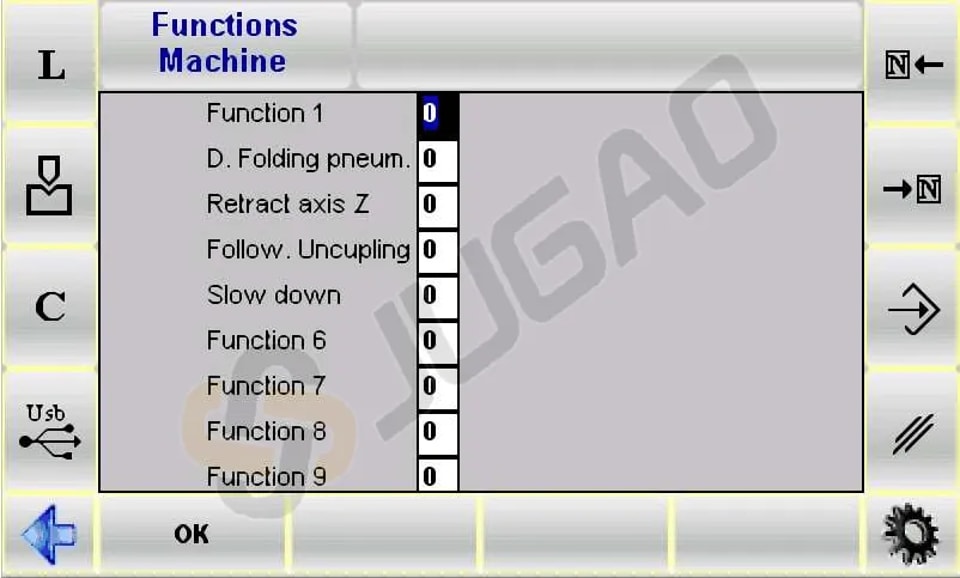
The ESA S530 Machine Functions introduce a new “Machine Functions” mask, designed to enhance usability and precision. With 20 machine functions available, Functions 1 to 4 are accessible in both the new machine functions mask and the machining data entry mask, while the new functions can only be accessed in the following way:
l Access the Setups mask and press to access the menu.
l Select the Machine Functions item to access a window that allows the functions to be enabled for that bend.
“Manual Bend” Function
The “Manual Bend” function of the ESA S530 Machine Functions allows for meticulous fine-tuning and precision control. This mode is particularly useful when a single, non-programmed bend is required.
Users can easily activate it by pressing the [Manual Bend] key from the Automatic page. Once engaged, the last bend used in Manual Bend mode is loaded, offering immediate access.
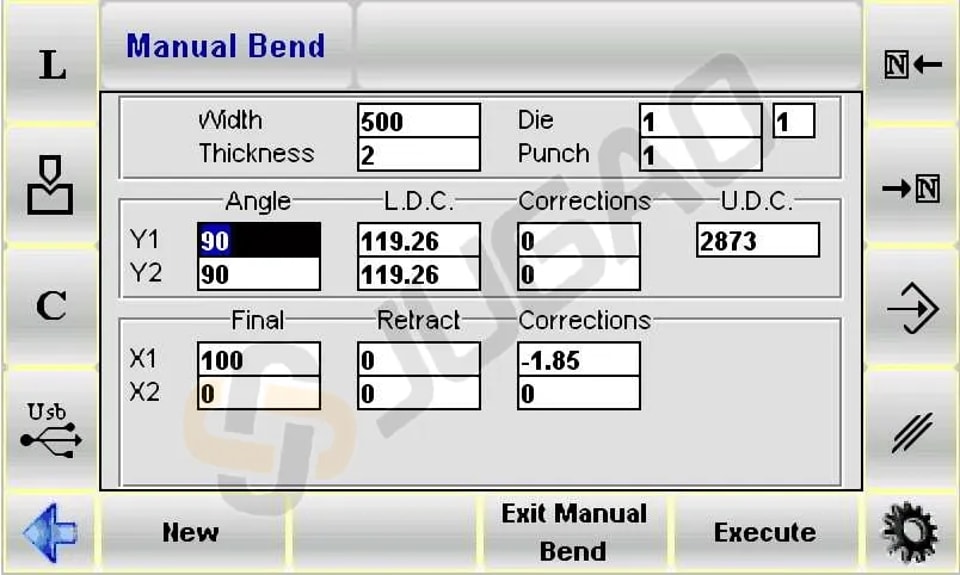
l To execute the bend press [Execute] function key and then the button.
l To modify the bend press the function key [New] .
l To restore the program previously interrupted by Manual Mode press the key [Exit Manual Bend]
Compared to automated processes, this feature offers enhanced precision for specific tasks.
Conclusion
In summary, the machine functions of the ESA S530 are instrumental in elevating both precision and operational efficiency. By utilizing its advanced control systems and intuitive interfaces, these capabilities enable more streamlined production workflows and enhanced accuracy in sheet metal fabrication. When applied effectively, the ESA S530 allows manufacturers to consistently deliver superior results—minimizing material waste and strengthening overall productivity.
To fully leverage the advantages of the ESA S530, we encourage thorough familiarization with its functional suite and ongoing training for operational teams. This commitment ensures your fabrication processes remain technologically competitive and operationally excel.
For further technical details or customized guidance to match your unique production requirements, please reach out to our support team. We are dedicated to helping you realize the full potential of your ESA S530 system. You may also explore our expanded library of resources and technical documentation to continue advancing your proficiency with our solutions.
Contact Us